
- 9 min read
- Dental Practices
- July 21, 2026
- dental practice PMS downtime procedure
What to take from this article
- Set a minimum safe operating model for reception and bookings during PMS downtime.
- Use a small, structured fallback record with a named owner and clear escalation path.
- Restore records in a controlled order to avoid duplicate bookings and messy patient data.
Introduction
Picture the practice one hour after the diary or PMS drops out.
The phones have not stopped. Patients still need directions, arrival times, cancellations, finance queries and paperwork chased. Clinicians still need a clear list of who is expected next. What matters in that moment is not clever software. It is whether the team already knows what the practice will keep doing, what it will stop doing, who owns each decision and where temporary records will live.
For a UK dental practice, a sound PMS downtime procedure is less about improvisation and more about boundaries. The source of truth changes for a short period. A named human owner takes charge. Anything administrative that can be captured safely is captured. Anything clinical, urgent or complaint-related is escalated to the practice. Silverstone AI helps businesses design automation that still makes sense when systems are interrupted, and that same thinking applies here: define the fallback process before you need it.
Decide what the front desk must still be able to do
Start with the minimum safe operating model, not the full normal-service wish list.
When the diary or PMS is unavailable, the front desk should switch to a reduced set of tasks that keeps the day moving without creating uncontrolled records. That means separating patient-facing continuity from system-dependent actions.
A sensible first decision is the incident owner. In most UK practices that is usually the practice manager, lead receptionist or principal’s delegated operations lead. That person owns the temporary process, the escalation path and the stop condition for returning to normal automation.
The front desk should usually still be able to:
- answer calls and identify the reason for contact
- check whether the issue is administrative or clinical
- capture new inquiries in a temporary record
- note arrival, cancellation and callback requests
- tell patients when the team will confirm appointments rather than promising immediately
- route emergencies, clinical questions and complaints to the practice team
The front desk should usually stop trying to:
- amend multiple future appointments from memory
- promise exact diary availability without a verified source
- create duplicate patient profiles in side systems
- give clinical guidance, urgency decisions or treatment advice
- restart every automation manually without an owner
A useful operating rule is simple: if the action changes the patient record, future diary or financial position, it needs a named owner and a temporary audit trail.
If you are planning broader resilience across calls and admin workflows, AI automation for operational handoffs is often the right place to map these fallback rules rather than relying on staff memory.
- Source of truthDuring downtime, the temporary capture log becomes the live administrative record until reconciliation is complete.
- Human ownerName one operations lead for the incident, one deputy and one escalation route to a clinician or principal.
- Stop conditionReturn to normal only when access is restored, the backlog is reconciled and duplicate-checks are complete.
What the fallback capture record should contain
A bad temporary record creates rework. A good one makes restoration clean.
Avoid collecting treatment detail unless the practice specifically needs a non-clinical reason code to route the request. Clinical assessment, diagnosis, medication and consent stay with the practice team and should not be recreated in a temporary admin workflow.
This is where many downtime procedures go wrong: the practice captures too much, mixes admin and clinical notes, and then struggles to know what belongs in the permanent record.
Patient identification
Full name, date of birth, contact number and, where available, an existing patient number or a clear note that the person is a new inquiry.
Contact context
Time received, channel used, staff member handling it and whether the patient called, completed a form, replied by message or arrived in person.
Request type
Booking request, cancellation, reschedule, arrival note, finance query, membership query, paperwork chase or general non-clinical inquiry.
Action status
Held, confirmed later, deferred, escalated or closed, with the name of the person now responsible.
Escalation note
Clinical question, complaint or urgent concern routed to the appropriate practice contact, with time and recipient recorded.
Re-entry check
A blank field or tick-box confirming the item has been restored to the PMS and checked for duplication.
How calls, web forms and messages should queue during downtime
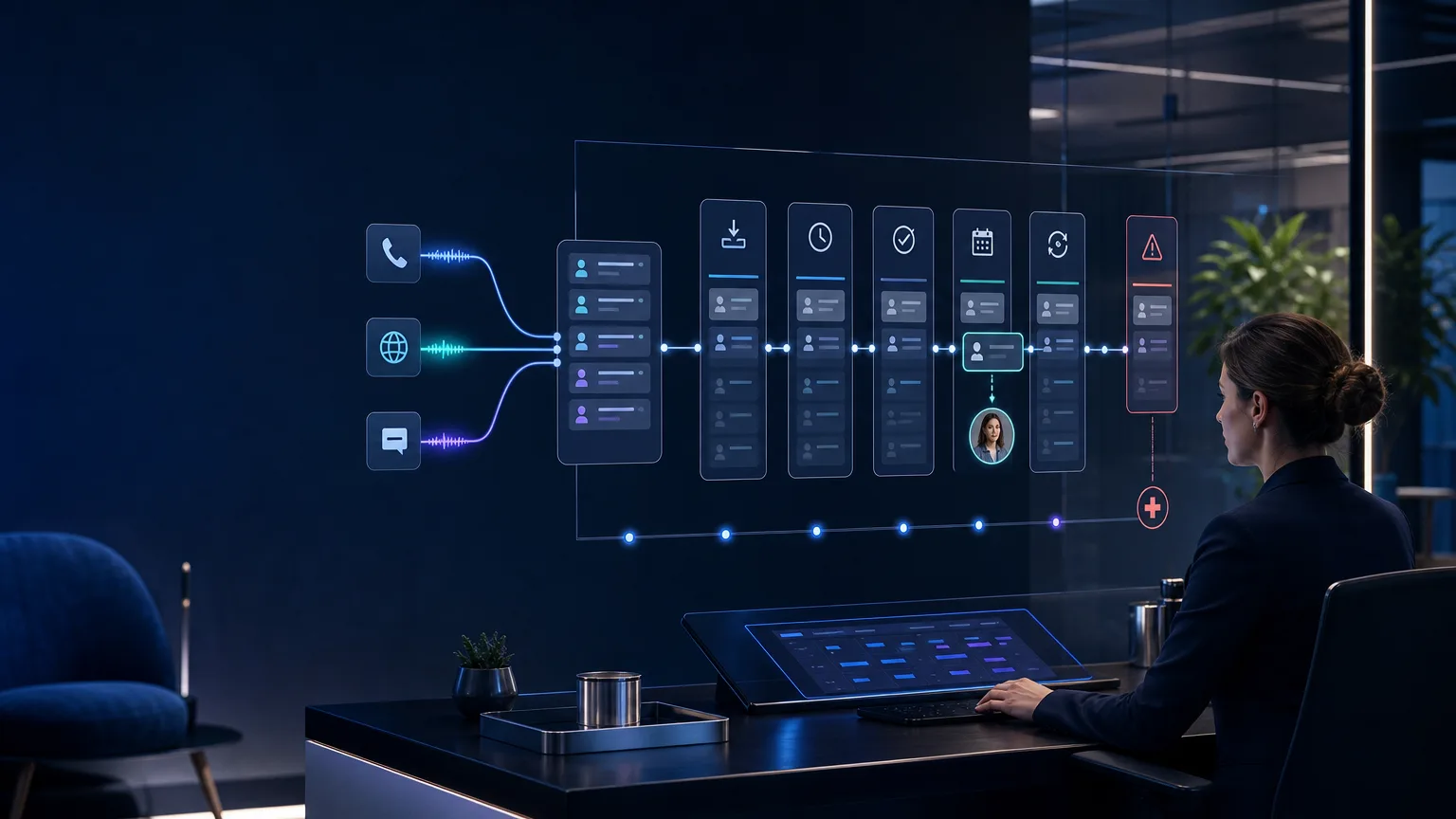
Channel traffic should converge into one controlled queue, not three separate piles of work.
During a PMS outage, the risk is fragmentation. Calls are answered one way, web forms land elsewhere, and WhatsApp or SMS messages build up with no consistent owner. The answer is to decide where all inbound demand is collected while the main system is unavailable.
The best temporary design is a single queue with clear labels for channel, urgency and next action. That queue does not need to automate every step. It needs to stop work from being lost.
For example, your rule set might be:
- calls are answered live where possible, otherwise logged for callback
- web forms continue to collect essential admin fields only
- messages receive a holding reply that sets expectation for confirmation
- anything clinical, urgent or complaint-related is transferred to the practice escalation route
- one admin lead reviews the queue at set intervals and assigns action
This is also where tools such as AI receptionists or AI voice agents can help if they are designed properly. The point is not unsupervised booking during an outage. The point is controlled capture, consistent triage and reliable handoff to a human owner.
A simple queueing model keeps the script honest. The system may acknowledge, capture and route. A person confirms, defers or escalates.
| Decision point | What to keep doing | What to avoid | Owner |
|---|---|---|---|
| Phone | Answer, identify reason for contact, capture details, set callback expectation | Quoting unverified appointment times or altering complex bookings from memory | Front desk lead |
| Web forms | Collect core contact details and request type into a temporary queue | Posting directly into live patient records without reconciliation | Admin owner |
| SMS or messaging | Acknowledge receipt and route to callback or admin review | Back-and-forth clinical discussion or consent handling | Assigned receptionist |
When to hold, confirm or defer bookings
Not every request should be treated as a booking decision during downtime.
The practical question is not whether the practice can keep speaking to patients. It is whether it can safely commit diary capacity without the normal source of truth.
If the team cannot verify real-time availability, chair allocation, clinician schedules or linked appointment rules, the default should be to hold the request rather than confirm it. That protects the diary from duplicate entries and protects patients from being given a time that later moves.
Use three statuses during downtime:
Held: the request is captured with a clear promise that the practice will confirm after the system is restored or checked against another approved source.
Confirmed: only where the practice has a verified secondary source and a named person authorized to use it.
Deferred: where the request depends on missing information, a clinician decision, finance context or linked treatment planning.
During downtime, a held request is often better service than a fast but unreliable confirmation.
Good reasons to hold
New patient inquiries, routine hygiene requests, non-urgent reschedules and cancellation-slot interest often fit a hold status. The patient receives a clear callback or message window, and the queue owner keeps the request visible.
Good reasons to confirm
Same-day operational adjustments may be confirmable if the practice has an approved printed list, mirrored schedule or another validated record for that day only. The key is that the secondary source must be explicit, limited and owned.
Good reasons to defer
Anything that depends on treatment sequencing, clinician preference, consent, finance arrangements or complaint handling should wait for the appropriate person. Downtime is not the moment to make borderline decisions at reception.
How to restore records without duplicate entries
Restoration is where tidy temporary capture pays for itself.
Once the PMS returns, the temptation is to re-enter everything quickly. That is exactly how practices create duplicate bookings, duplicate patient records and mismatched notes.
Restoration should happen in a fixed order. Start with same-day appointments and active callbacks. Then process future booking requests, cancellations and lower-priority admin items. Keep one person responsible for final sign-off on each restored batch.
A straightforward reconciliation sequence looks like this:
- Freeze new manual workarounds and announce that the system is back in a controlled restore mode.
- Compare the temporary queue against what is now visible in the PMS.
- Match by patient identity first, then date and request type.
- Mark each item as restored, not needed, escalated or duplicate-risk.
- Review anything ambiguous before entry rather than guessing.
- Only close the incident when the queue is empty and checked.
The technical term some teams use here is idempotency: entering the same event twice should not create two outcomes. In plain English, your restore process needs a way to tell whether the action has already happened.
This is one reason bespoke workflow design matters. Silverstone AI tends to recommend explicit restoration states, operator check steps and exception queues rather than assuming every integration will always be available.
The checks to run before returning to normal automation
System access alone is not the finish line.
If your current process still depends on disconnected inboxes, ad hoc spreadsheets and individual memory, that is usually the point to redesign the workflow rather than accept the risk. For dental operators looking at the wider picture, our dental practice automation guide is a useful next read, and Silverstone AI’s dental industry page outlines where structured automation helps without crossing clinical boundaries.
The aim is not to automate everything. It is to make sure the practice can keep operating with a clear source of truth, a visible owner and a clean route back to normal.
- Queue clearedEvery temporary record has a final status: restored, closed, escalated or intentionally canceled.
- Duplicate spot-checkReview a sample of bookings and patient records created during the outage window to confirm no duplicate entries were introduced.
- Escalations completeClinical queries, emergencies and complaints have been handed to the practice and are no longer sitting in an admin queue.
- Scripts updatedReception, phone and message templates are switched back from downtime wording to standard wording.
- Owner closes incidentThe named incident owner confirms normal operations have resumed and logs any improvements needed for the next outage.
Build the next Silverstone system around your real workflow.
Bring the problem, the current stack and the commercial outcome. We will map the practical route from idea to deployed AI system.
Book a discovery call